ReStart connects people who need local services with independent providers ready to work. Find help, offer your skills, and manage bookings in one simple app.

Provider profiles, secure in-app payments, real-time chat and booking, and a platform built to include everyone. ReStart brings it all into one simple, accessible app.
Three simple steps, whether you're a client booking a local service or a service provider offering your services and finding work.
Set up your profile in a couple of minutes. Clients and service providers both start the same way.
Clients browse local services and book the one they need. Service providers list what they offer, find work and get booked.
Chat, confirm the details, and pay or get paid securely, all inside the app.
Book a local service or offer your own, and manage every booking from your phone.
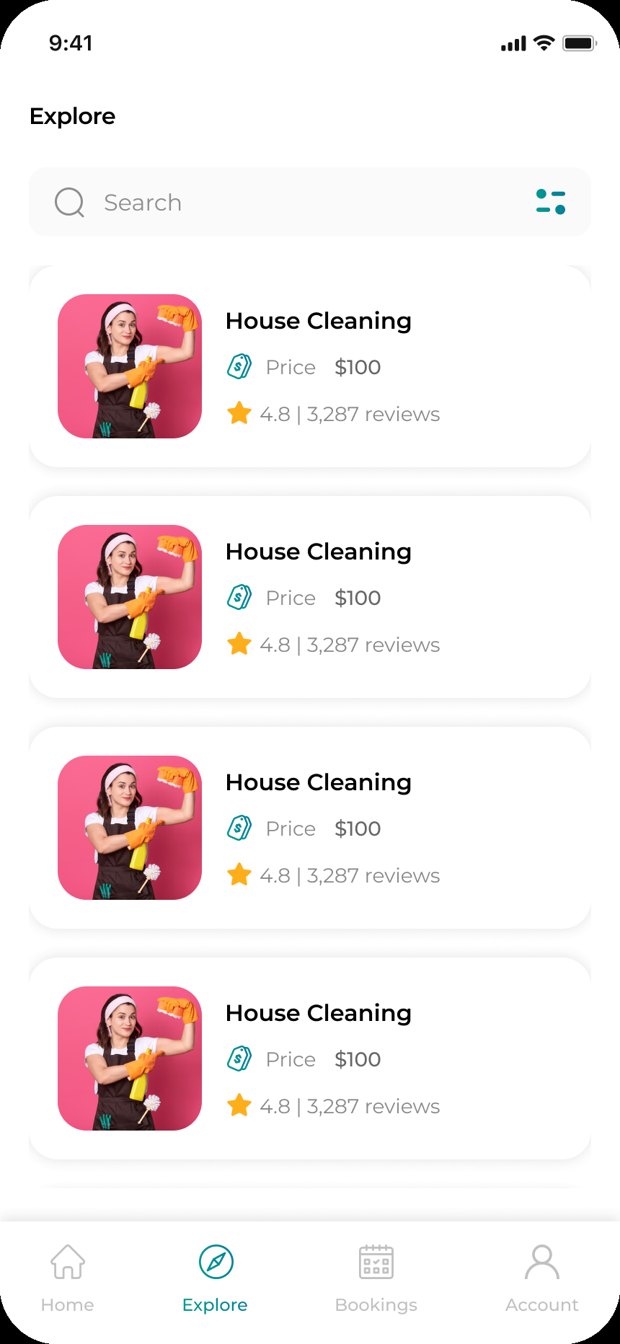
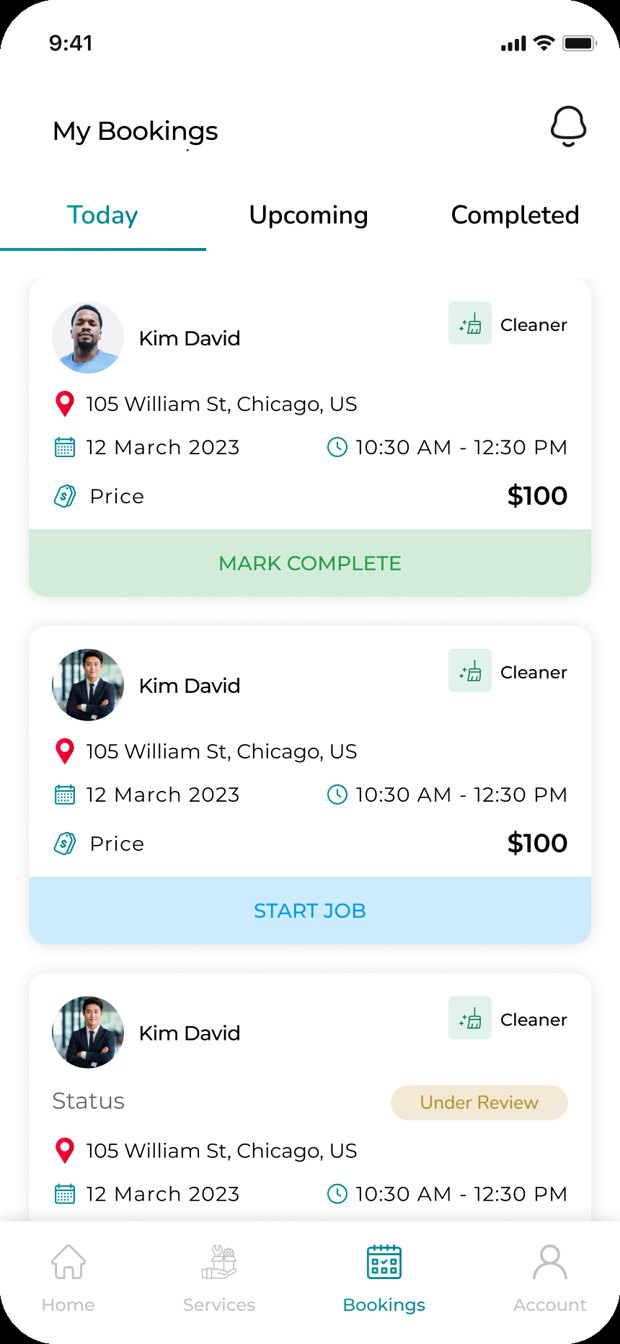
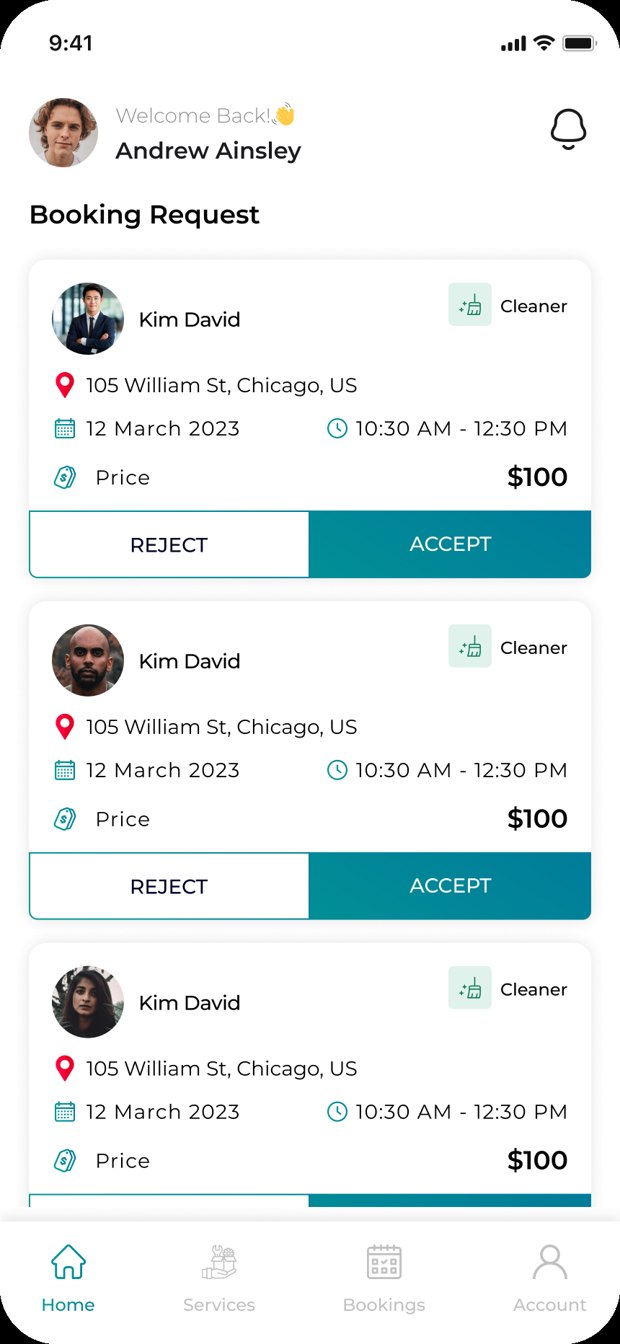
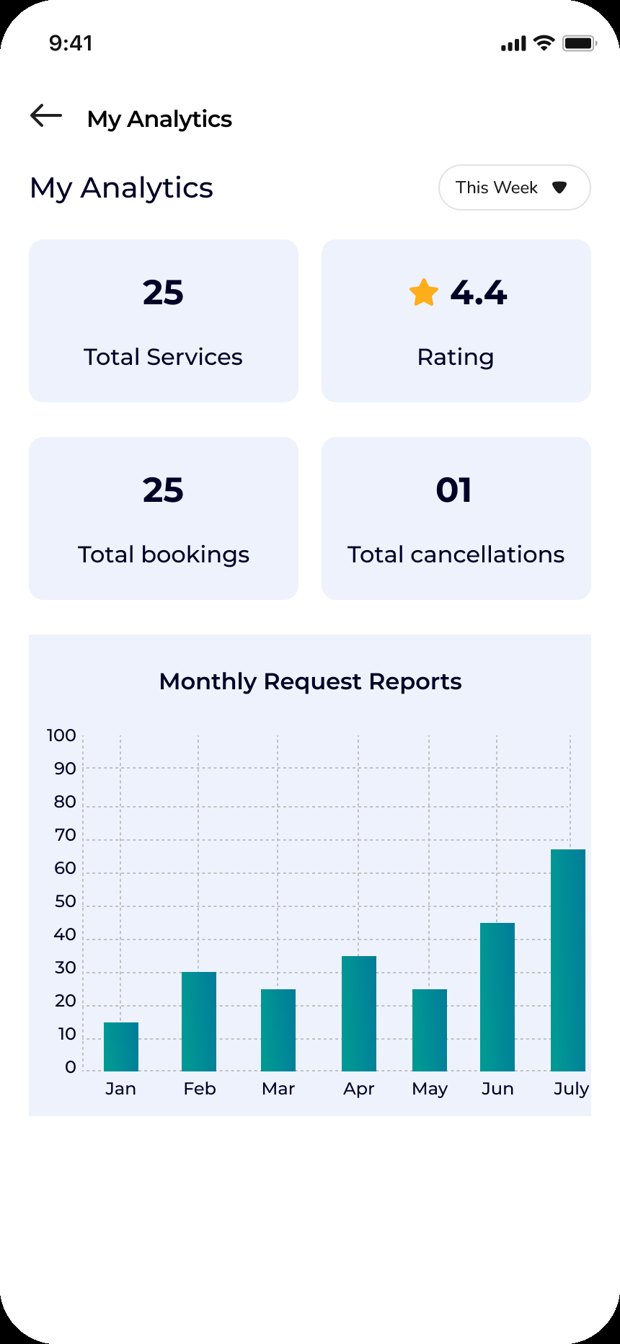
One app connects two kinds of people: clients who need a local service, and service providers who offer services and find work.
Find a local service, compare prices and ratings, and book it in a few taps, even if you don't have a fixed address. Clients sign in with a one-time passcode (OTP).

List what you offer, set your categories, and find work as booking requests come in. Notifications, bookings, and payments all live in one clean dashboard.

Every part of ReStart is designed around one idea: opportunity should be easy to find and safe to use.
ReStart is a community connection platform operated by ReStart Connect LLC. Our mission is to help people find reliable local services while expanding access to meaningful work and economic opportunity for independent service providers. ReStart provides technology that lets clients and providers connect, communicate, schedule services, and make secure payments. Independent providers perform services, not ReStart.
Can't find what you're looking for? Reach out and we'll get back to you.
ReStart Connect is a mobile app that connects clients who need a local service with service providers who offer services and find work, all in one place, built to be simple and inclusive.
Yes. Creating a profile is free for both clients and service providers. ReStart currently charges no platform fee. Providers set their service prices, and Stripe processing fees apply to providers. Any future ReStart fees will be disclosed before they apply.
Clients and service providers sign in with a one-time passcode (OTP), which is required. ID is optional for service providers for now. Stripe may require identity and bank verification before a provider can accept payments or receive payouts. Optional ReStart profile documents are separate from Stripe requirements.
Independent providers perform the services. ReStart provides the technology for connecting, communicating, booking, and facilitating payments.
ReStart is in active development. Leave your details on the contact form below and we'll let you know as soon as early access opens.
ReStart currently charges no platform fee. Providers set their service prices, and Stripe processing fees apply to providers. Any future ReStart fees will be disclosed before they apply.
Your card is authorized before the service, which may place a temporary hold on funds. Payment is charged after you confirm completion, or automatically 24 hours after the provider marks the work complete if you have not reported a problem.
Your payment method is saved securely through Stripe, with your consent at checkout. Your card is normally authorized one or two days before the scheduled service.
You have 24 hours to confirm completion or report a problem through the app. If you take no action, payment is captured automatically after that period.
Automatic payment capture is paused while the issue is reviewed. Report the concern through the app and contact support if you need help.
Yes. You can optionally save a card securely with Stripe for future bookings and remove saved cards under Account → Payment Methods. Advance bookings require saving a payment method, as explained during checkout.
No. ReStart’s in-app payment process uses Stripe.
Clients and providers can cancel bookings. Any applicable cancellation deadlines, fees, and refund conditions are shown before you confirm your booking.
Contact your provider through the app. Providers handle refunds through Stripe under the applicable booking terms. ReStart support can assist with communication but does not guarantee a refund.
Approved refunds are processed through Stripe. The time for the refund to appear depends on your bank or payment method.
Service payments are charged directly on the provider’s connected Stripe account. ReStart does not hold service payments in its own account or manually redistribute them to providers.
After payment is captured, funds enter the provider’s Stripe account. Stripe pays eligible funds to the provider’s linked bank account according to its payout schedule. Payment capture does not mean an immediate bank deposit.
No. “Earnings & Payouts” shows transaction and payout information. Providers manage their payouts through Stripe; ReStart does not maintain an internal cash wallet or withdrawal service.
Under ReStart’s intended payment setup, Stripe processing fees are charged to the provider, and refunds and chargebacks debit the provider’s Stripe account. Providers manage these matters through their Stripe Dashboard.
For booking or app assistance, contact support@restartconnect.com.
Have a question, want early access, or just want to learn more? Send us a message and our team will get back to you shortly.